Living without a Windows Logo Key 18 years, 10 months ago by Martey Dodoo
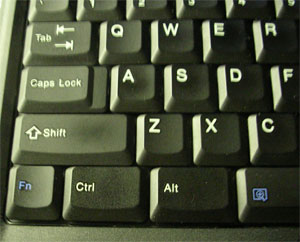
When people asked why I bought my behemoth of a laptop instead purchasing a nice, svelte Thinkpad, I would look them in the eyes with a straight face and tell them that it was because the Thinkpad did not have a Windows Logo key (which true to its name, is a key that displays the Windows logo on its face), while the Inspiron did. While I was obviously lying1, the Thinkpad's lack of a Windows key did grate on me. How could I use the helpful Windows shortcuts that use the Windows logo key?
Enter SharpKeys,a freeware Windows utility that allows the mapping of keys to other keys. I mapped the Caps Lock key to the Windows logo key2, which has the side effect of stopping me from activating Caps Lock when I mean to press Shift.3 I like the fact that SharpKeys comes in a zipped version, since uninstalling it will not remove the keymappings that you have already made.
1 For some reason, I find joy in confusing people who question my decisions by claiming a completely trivial reason as my main justification. There is something about the look in their eyes as they attempt to figure out whether I am really that stupid/shallow/cynical, or whether a punchline is coming. In high school, I used to tell people that I chose to go to Harvard not because it was the best school, or because I liked Boston, but because Natalie Portman went there.
2I would have mapped the Fn key, but it seems much of the Fn key functions are controlled through hardware, or something. A discussion about this appeared in the comments section of a post on the SharpKeys website.
3Speaking of which, I can still recall the epiphany I felt when I realized that Shift could be used to capitalize letters, and that I did not need to rely on Caps Lock anymore.